Guides
Sync Calendars with Your Partner
Someone asks if you're both free Saturday. You know your calendar. You don't know your partner's. So the answer is “let me check,” and the plan waits.
Don't Double Book Me can bring both of your calendars together in one shared calendar. Set it up once, and whoever gets asked can just look and answer. Here's how.
Why Not Just Share Your Calendars?
Google Calendar, Outlook, and iCloud can each share a calendar with someone. If you're both on the same one, with one calendar each, that might be all you need.
Real life is messier. One of you is on a work Outlook account, the other on Google. One of you has a personal calendar, a work calendar, and the kids' school calendar. Soon you're each stacking the other person's calendars, and something is always missing.
A sync is different. It writes real events into one shared calendar. Everything either of you commits to lands there, from any calendar, and you each decide what goes in and how much it shows.
Set It Up
One account is all it takes. Your partner's calendar connects to it just like a second account of your own.
-
Create the shared calendar.
Make a new calendar in Google Calendar or Outlook and share it with your partner. Call it whatever you like. Add it to the calendar app on both of your phones, then show it only when you want the combined view.
-
Start your account.
Sign up with Google or Microsoft, whichever holds the shared calendar.
Start your free trial -
Connect both of your calendars.
On your calendars page, add your partner's Google, Outlook, Apple, or Fastmail account next to yours. They sign in once, and that's it. Calendars are unlimited, so connect every one that should count.
-
Create a sync for each of you.
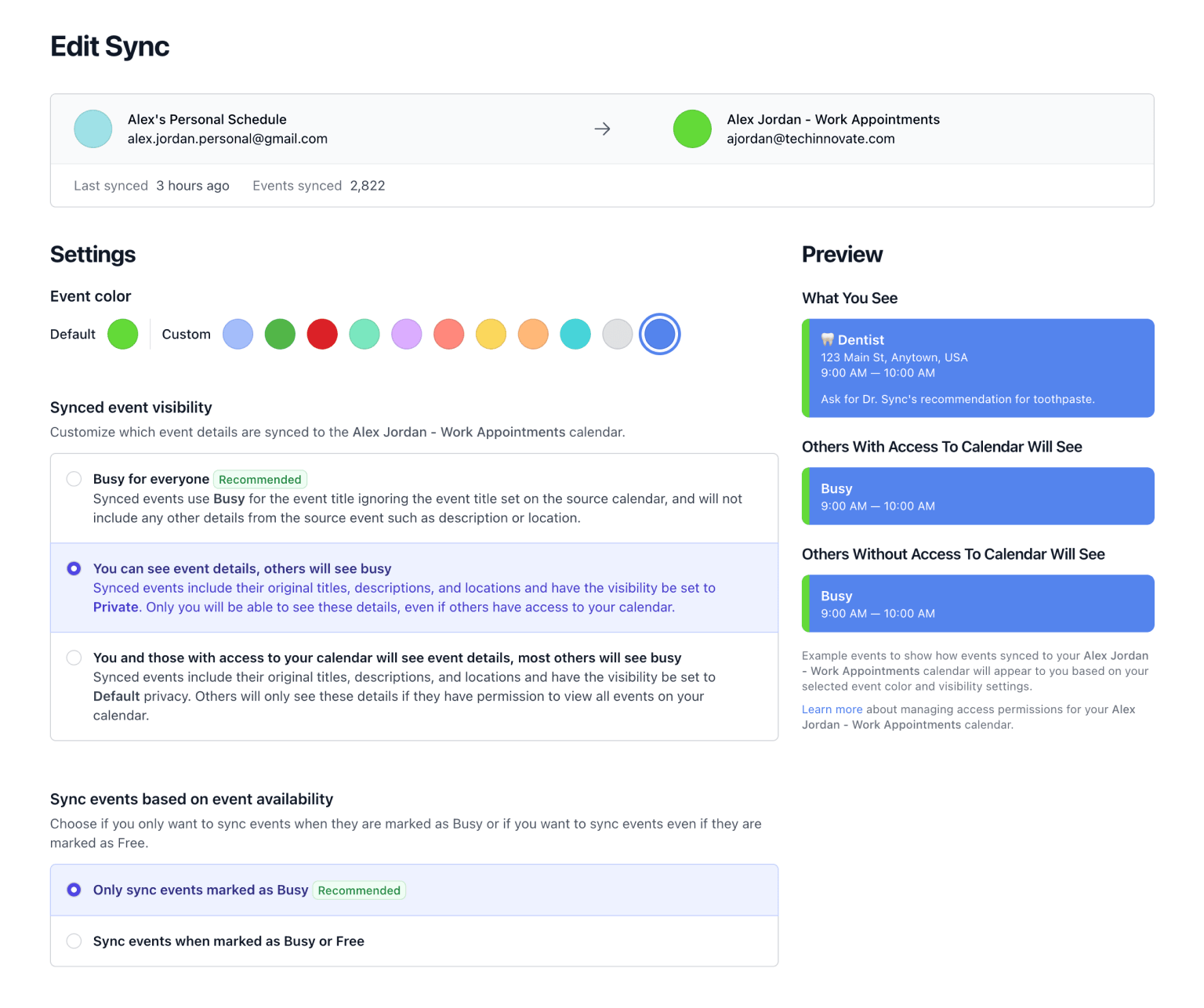
Your personal calendar as the source, the shared calendar as the destination. Then the same for your partner. Every sync has its own settings, so a work calendar can show up as Busy while a personal one keeps its titles.
-
Choose what shows.
Default keeps the original titles, so a glance tells you it's the dentist, not dinner. Busy for everyone shows only the time. To tell whose event is whose, add a name to the event title template, like
Sam · {{title}}. -
You're done. 🎉
Changes on Google and Outlook sync as they happen. Apple and Fastmail are checked every 10 minutes. Move or delete an event on your own calendar, and the shared copy follows.
Free for a week with no credit card, then $20 a year for unlimited calendars and syncs.
What You Get
- One Calendar. Both of You. Everything either of you commits to shows up in the shared calendar, whether it started on Google, Outlook, Apple, or Fastmail.
- Answer on the Spot. Say yes to Saturday without checking with anyone first. And stop finding out about the recital the night before.
- A Combined View. Only When You Want It. The shared calendar is one more calendar in your app. Keep it hidden day to day, then switch it on to see both of your schedules together.
- Only What You Choose. Full titles from your personal calendar. Just Busy from your work calendar. Or leave one out entirely. It's up to you.
- Your Calendars Stay Yours. Nothing changes on your own calendars. The shared calendar holds copies that follow the originals, and deleting a sync removes only the copies.
- Personal
- Family
- Personal
- Family
Related Resources
A better way to manage your Google, Microsoft Outlook, Apple, and Fastmail calendars.
Don't Double Book Me is designed for those who need to maintain a clear and coordinated schedule without the hassle of double bookings.