Guides
Keep Your Work and Personal Calendars in Sync
Most people manage at least two calendars — one for work and one for personal life. The challenge is keeping them in sync so that a work meeting doesn't land on top of a doctor's appointment, or a personal commitment doesn't conflict with an important client call.
The Problem with Separate Calendars
When your work runs on Microsoft Outlook and your personal life runs on Google Calendar (or vice versa), you're maintaining two independent schedules. Neither calendar knows what's on the other. This leads to a predictable set of problems:
- Colleagues schedule meetings during your personal appointments because your work calendar shows you as free.
- You accidentally accept a personal invitation during a work meeting because your personal calendar doesn't reflect your work schedule.
- You spend time manually copying events between calendars, which falls out of date the moment something changes.
How Calendar Syncing Works
Calendar syncing copies your busy times from one calendar to another. When you have a meeting on your work Outlook calendar, a corresponding "Busy" block appears on your personal Google Calendar — and vice versa. The sync happens in real-time, so changes propagate within seconds.
This is different from calendar sharing or subscriptions. Sharing gives others read access to your calendar, but doesn't create blocking events. Subscriptions create read-only views that update slowly. Syncing creates actual events on the destination calendar that block out time, so anyone checking your availability sees an accurate picture.
Syncing with Don't Double Book Me
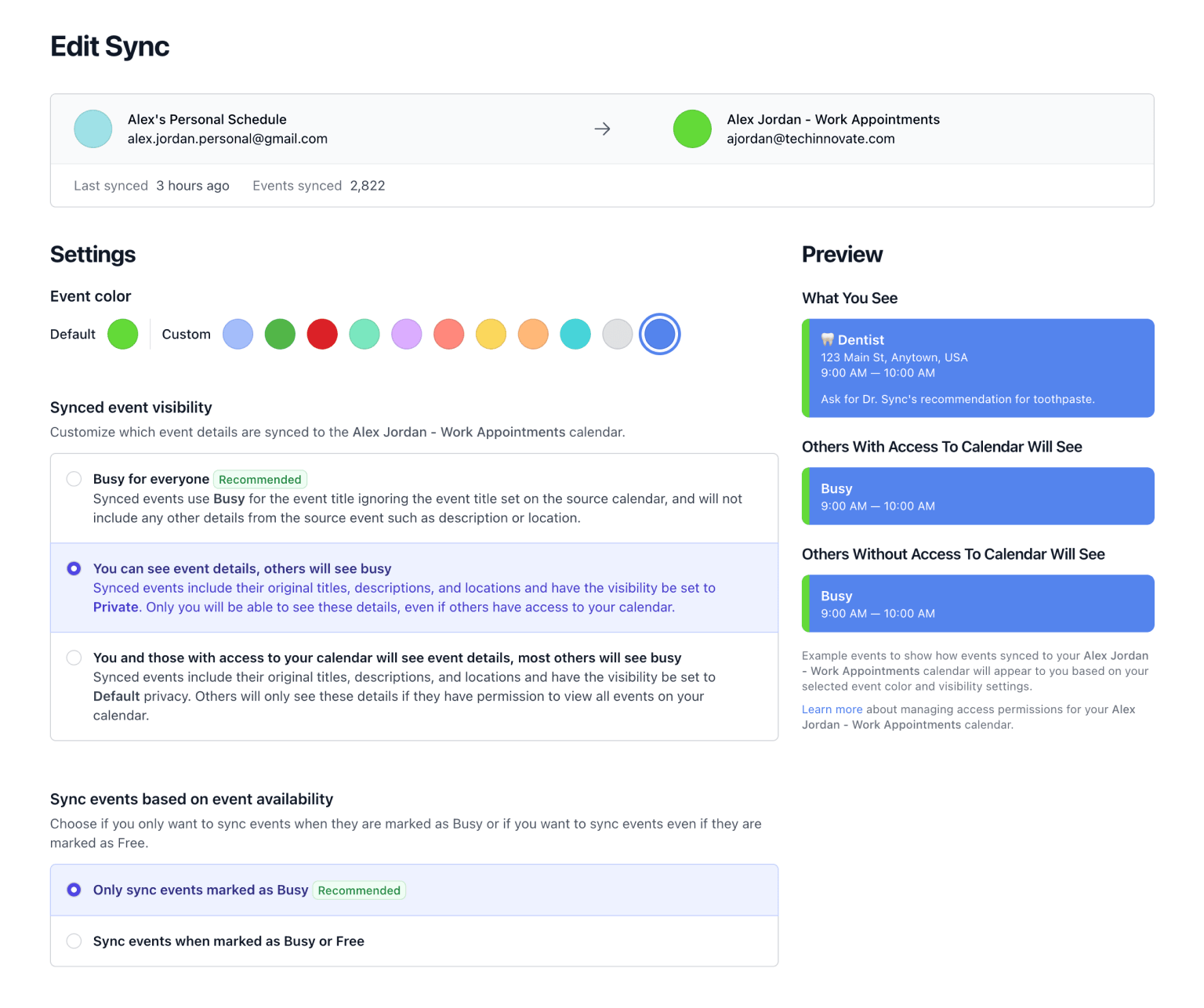
Don't Double Book Me connects your Google Calendar and Microsoft Outlook accounts and syncs events between them in real-time. Here's what makes it work well for work-life balance:
- Real-Time Sync. Events sync via webhooks, not polling. When something changes on one calendar, the other is updated within seconds.
- Privacy by Default. Synced events show as "Busy" with no title or details. Your work colleagues won't see the name of your personal appointments, and your friends won't see your meeting subjects.
- Working Hours. Only sync events during your defined working hours. A Saturday barbecue won't clutter your Monday Outlook calendar.
- One-Way or Two-Way. Sync from work to personal, personal to work, or both with a single toggle. Add as many calendars as you want to one sync.
Getting Started
Connect your work and personal calendar accounts, pick which calendars to sync, choose your privacy settings, and you're done. Events flow automatically from that point forward.
Start with a 1-week free trial (no credit card required), then keep your work and personal calendars in sync for just $20/year.
Related Resources
A better way to manage your Google, Microsoft Outlook, Apple, and Fastmail calendars.
Don't Double Book Me is designed for those who need to maintain a clear and coordinated schedule without the hassle of double bookings.