Guides
Mirror Google Calendar and Outlook in Real-Time
When you use Google Calendar for one part of your life and Microsoft Outlook for another, keeping both calendars identical is nearly impossible by hand. Neither platform offers a built-in way to mirror events across providers.
Don't Double Book Me mirrors your events between Google Calendar and Outlook in real-time. Every event on one calendar is reflected on the other, so both calendars always show the same availability — no manual copying required.
Why Mirror Google Calendar and Outlook?
Syncing one-way is helpful, but mirroring takes it further. When you mirror two calendars, events flow in both directions. A meeting added to your Outlook calendar instantly appears on Google Calendar, and a personal event on Google Calendar shows up on Outlook. Both calendars stay identical without any extra effort.
This is especially useful if you schedule meetings from both platforms. Instead of remembering which calendar to check, you can trust that either one reflects your full availability. Colleagues on Microsoft 365 and friends on Google both see the same picture.
Start Mirroring Google Calendar and Outlook
Don't Double Book Me makes it simple to mirror events between Google Calendar and Microsoft Outlook. Here's how to get started:
-
Connect your Google Account with Don't Double Book Me.
You will be prompted to give Don't Double Book Me the proper permissions to access your Google Calendar. We need read & write access to your calendar to mirror your events.
Connect Your Google Account -
Connect your Microsoft Outlook Account.
Add your Outlook account so Don't Double Book Me can read and write events on your Microsoft calendar.
Connect Your Outlook Account -
Create a sync and turn on two-way syncing.
Add your Google Calendar and Outlook calendar to a single sync, then choose Two-way sync. Events flow both ways automatically, so both calendars always match.
-
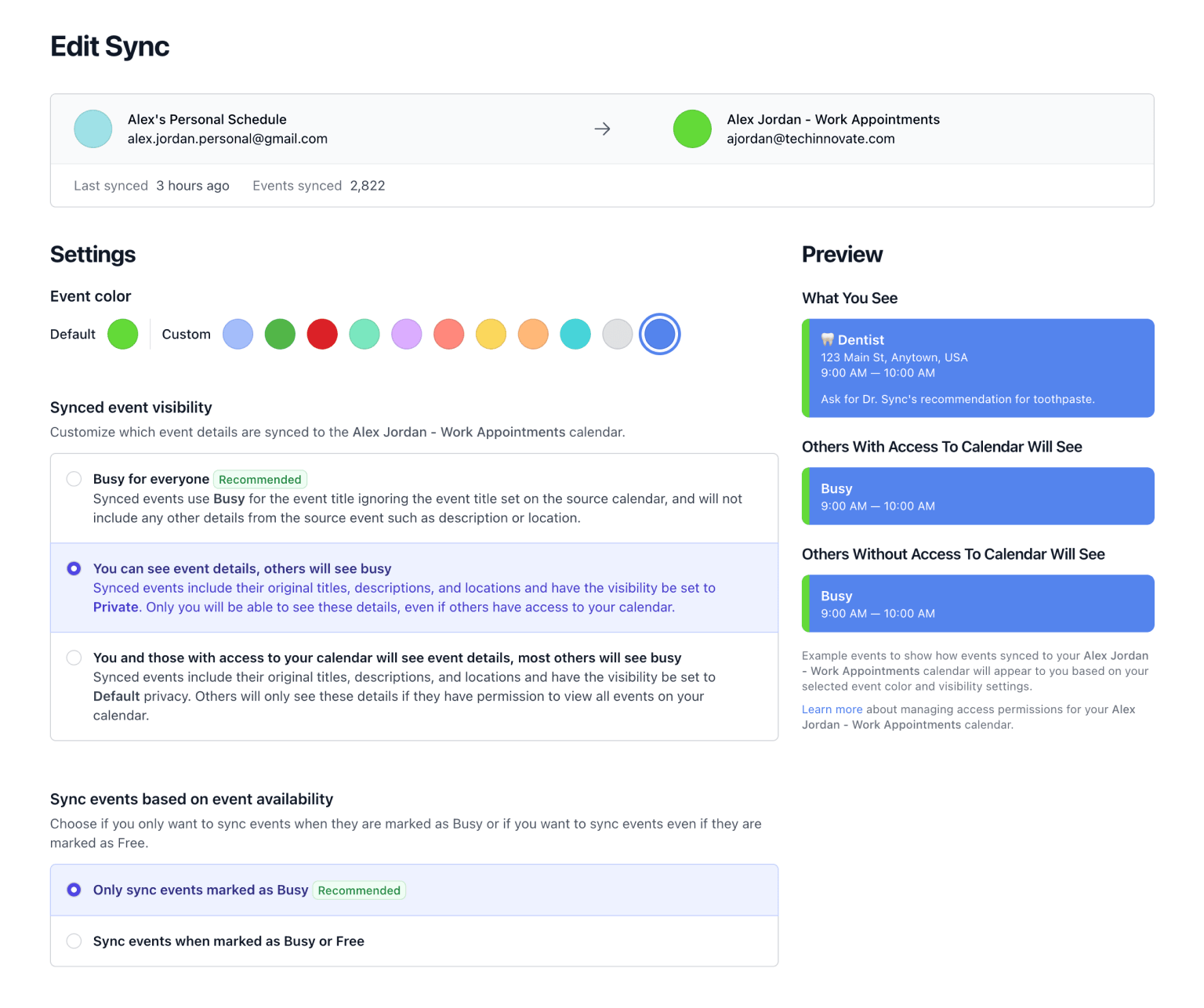
Configure your mirror preferences.
Choose event visibility (show as Busy, Private, or match the original), set working hours, enable rounded event times, and decide whether to mirror all-day events or invitations.
-
Your calendars are now mirrored in real-time. 🎉
Events mirror automatically via webhooks — no manual refresh needed. Changes, cancellations, and new bookings propagate within seconds across both providers.
Start with a 1-week free trial (no credit card required), then enjoy seamless cross-provider mirroring for just $20/year. Instead of paying $10/month for Reclaim, OneCal, or Clockwise, you only pay once a year at a low and reasonable price.
What Is Don't Double Book Me?
Don't Double Book Me mirrors events between your Google and Outlook calendars, ensuring your schedule is identical on both platforms without sharing your sensitive event details.
- Bidirectional Mirroring. Mirror events marked as Busy between Google Calendar and Microsoft Outlook in real-time. Turn on two-way syncing and both calendars always reflect the same availability.
- Privacy Controls. Choose how events appear on the other calendar — show as Busy with no details, keep the original visibility, or mark as Private. Your personal appointments stay personal.
- Respect Your Working Hours. Set specific hours during which you want events to be mirrored. Events starting before or ending after your working hours will be adjusted to match.
- Rounded Event Times. Automatically round the start and end times of your events to the nearest 15 or 30 minutes. This helps in creating a cleaner, more organized calendar view.
-
🦷 Dentist
9:00 AM — 10:00 AM
-
🦷 Dentist
9:00 AM — 10:00 AM
Related Resources
A better way to manage your Google, Microsoft Outlook, Apple, and Fastmail calendars.
Don't Double Book Me is designed for those who need to maintain a clear and coordinated schedule without the hassle of double bookings.