Guides
Sync Apple Calendar with Outlook
Your personal life lives on your iPhone and your work life lives in Outlook. Colleagues booking your Outlook calendar have no idea about the school pickup, the appointment, or the flight sitting in iCloud.
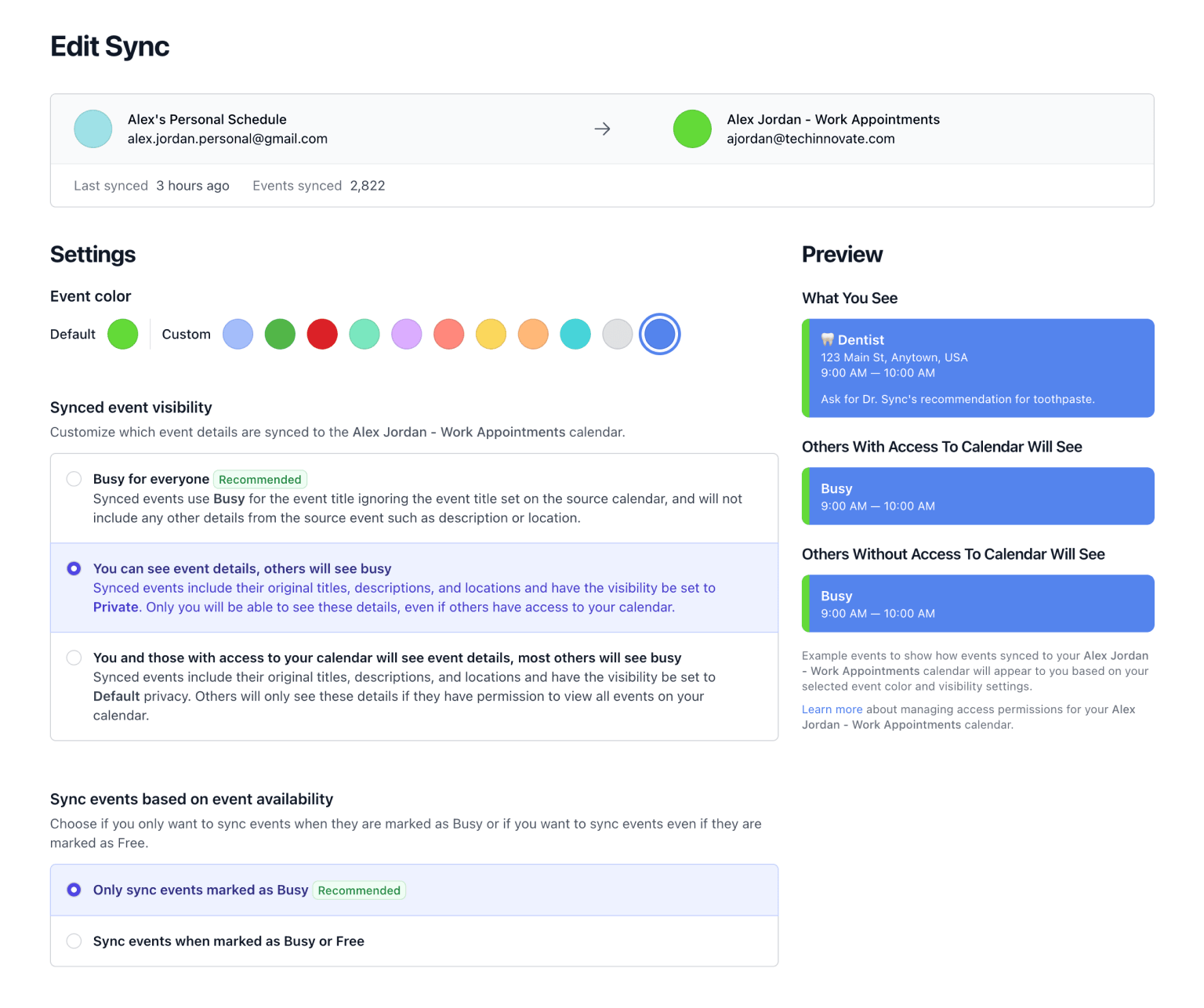
Don't Double Book Me mirrors busy time from your iCloud calendar onto Outlook, so those hours are already taken when someone goes looking for a slot. What they see is Busy. What it actually is stays private.
Why Adding iCloud to Outlook Isn't Enough
Outlook can subscribe to an iCloud calendar, but a subscribed calendar does not affect your free/busy status. Scheduling Assistant still shows you as available, so the meeting request lands anyway. A subscription also carries your real event titles into a work account, where personal appointments have no business being.
A sync fixes both problems. The mirrored event is a real event on your Outlook calendar, so it genuinely blocks the time, and it says only what you want it to say.
Connect iCloud and Outlook
Apple has no sign-in flow for calendar access, so you create your account with Microsoft and add iCloud to it afterwards.
-
Start your account with Microsoft.
Works with Microsoft 365, Exchange Online, and personal Outlook.com accounts. If your workplace requires IT approval for new apps, send them our Microsoft Entra approval guide.
Start with Microsoft -
Create an Apple app-specific password.
Sign in at account.apple.com, open Sign-In and Security, choose App-Specific Passwords, and generate one named Don't Double Book Me. Apple only offers these on accounts with two-factor authentication turned on. Deleting the password later revokes our access on its own.
-
Add iCloud on your calendars page.
Choose iCloud, enter your Apple Account email and the app-specific password. Your Apple Account email is often not an @icloud.com address, so use whichever one you sign in with.
-
Create the sync.
Set iCloud as the source and Outlook as the destination, or turn on both directions. Working hours are worth setting here if you only want personal commitments blocking your workday.
-
You're done. 🎉
Outlook changes reach us immediately. iCloud cannot notify us of changes, so we check it every 10 minutes and give you a Sync Now button for anything urgent.
Free for a week with no credit card, then $20 a year. Add as many calendars and syncs as you need.
What You Get
- Colleagues See Busy. Mirrored events carry no title, guests, or notes unless you ask them to. Your personal calendar stays personal.
- Working Hours. Only mirror the hours you actually work. A 7pm dinner never has to appear on a work calendar.
- Travel Buffers. Add time before and after a mirrored event so nobody books the fifteen minutes you need to get somewhere.
- One Direction or Both. Many people mirror iCloud onto Outlook only, so work never writes to their personal calendar. Both ways is one toggle if you want it.
-
🦷 Dentist
9:00 AM — 10:00 AM
-
Busy
9:00 AM — 10:00 AM
Related Resources
A better way to manage your Google, Microsoft Outlook, Apple, and Fastmail calendars.
Don't Double Book Me is designed for those who need to maintain a clear and coordinated schedule without the hassle of double bookings.